Best Free Note-Taking Apps: The Ultimate Guide for Android and iOS
Looking for the best note-taking apps? Discover 10 better apps to take notes on Android and iOS. From Google Keep to Obsidian, find your perfect free tool today!

In our fast-paced digital era, finding the best notes apps to organize your thoughts, projects, and daily tasks is essential. Whether you are a student, a professional, or a creative, your smartphone should be your ultimate digital notebook. This guide explores the better apps to take notes that are not only powerful but also completely free and compatible across both Android and iOS, ensuring your data is always in sync.
The Big Three: Industry Giants
These three applications are the gold standard for digital note-taking, offering reliability and deep integration into popular ecosystems.
1. Google Keep
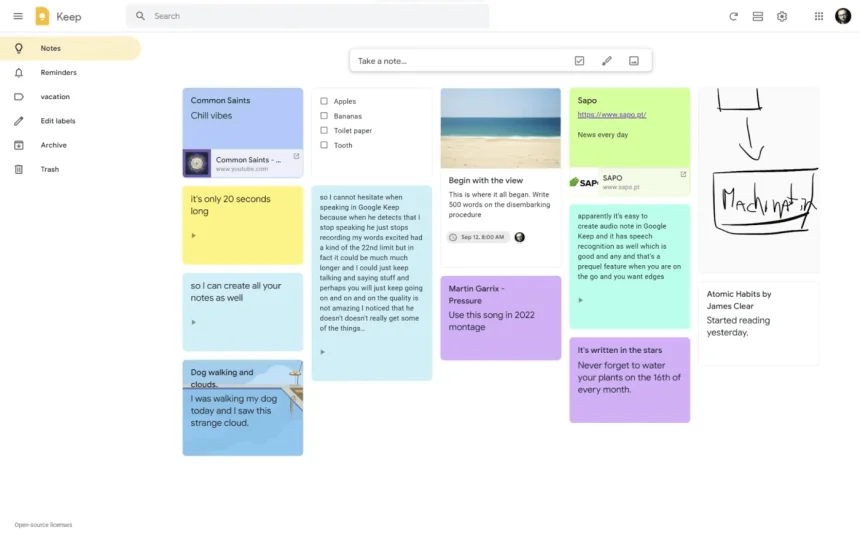
Google Keep is the champion of simplicity. It is designed for those who need to capture thoughts instantly without wading through complex menus, making it one of the most intuitive tools available.
-
Key Features: It uses a "sticky note" interface that is visually organized and easy to color-code. You can set location-based reminders, transcribe voice memos on the go, and even grab text from images (OCR).
-
User Experience: Since it integrates perfectly with Google Drive and Calendar, it’s the best choice for quick checklists and fast brainstorming. It works flawlessly on both iPhone and Android, providing real-time syncing across all devices.
2. Microsoft OneNote
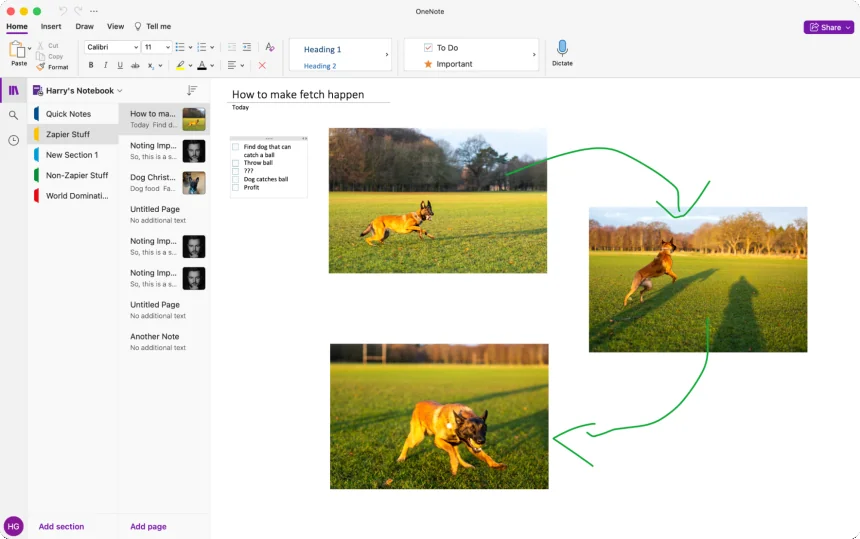
OneNote is a digital powerhouse that mimics a physical multi-subject binder. It offers a free-form canvas where you can place text, images, and drawings anywhere on the page.
-
Key Features: The app organizes content into Notebooks, Sections, and Pages. It supports advanced features like ink-to-text, mathematical equation solving, and audio recording tied to specific notes.
-
User Experience: OneNote is ideal for students and professionals who handle complex projects. Its cross-platform performance is top-tier, allowing you to start a note on an Android phone and finish it on an iPad or PC seamlessly.
3. Zoho Notebook
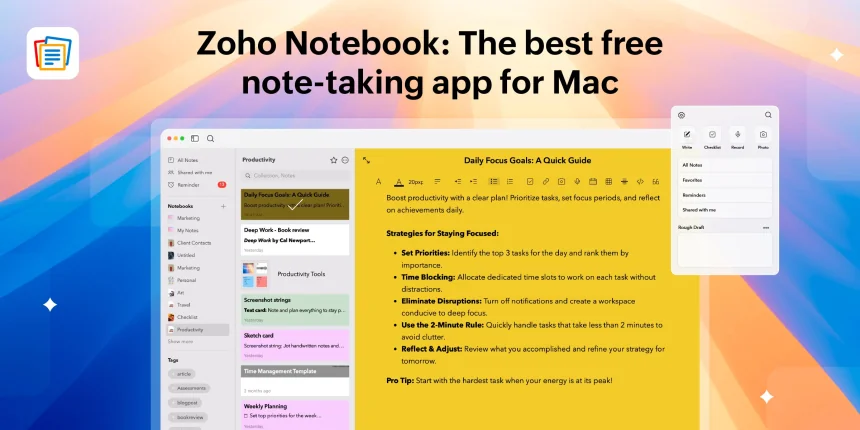
Zoho Notebook is often praised for its beautiful design and unique "Card" system. It provides a visual and tactile way to manage different types of information.
-
Key Features: It categorizes notes into distinct cards: Text, Checklist, Audio, Photo, and Sketch. Each card has a specific design, and you can group them into "Notebooks" with custom-designed covers.
-
User Experience: If you find standard note apps boring, Zoho Notebook offers a delightful aesthetic experience. It is completely free, ad-free, and provides secure syncing across Android and iOS devices.
More High-Performance Apps for Cross-Platform Use
Beyond the giants, these seven apps offer specialized features—from high-level security to networked thought—making them some of the best notes apps on the market today.
4. Obsidian
Obsidian is a game-changer for those who want to build a "Second Brain." It focuses on local file storage and non-linear note-taking.
-
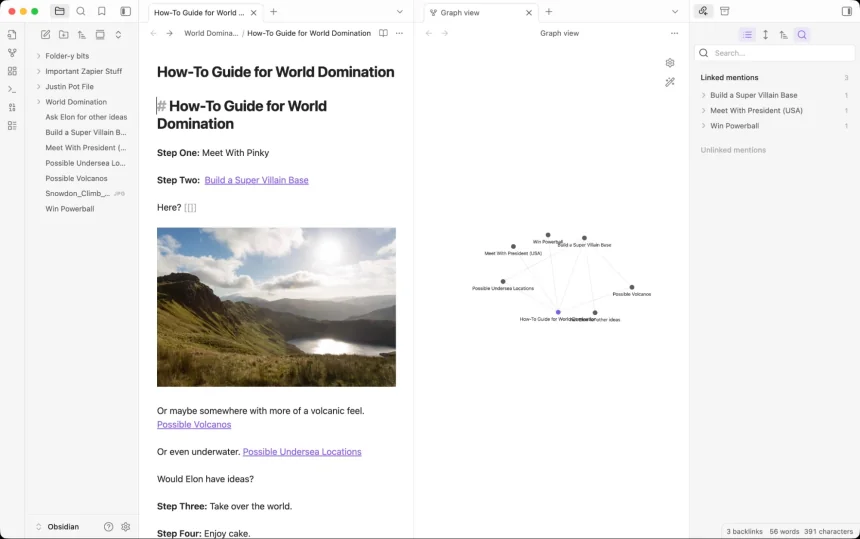
Key Features: Its standout feature is Backlinking, which allows you to link notes together to create a web of knowledge. The "Graph View" visually maps how your ideas are connected.
-
User Experience: While it has a learning curve, it is incredibly rewarding for researchers and writers. The mobile apps for Android and iOS are highly customizable and free for personal use.
5. Joplin
Joplin is the premier open-source alternative to Evernote, built for users who prioritize privacy and data ownership.
-
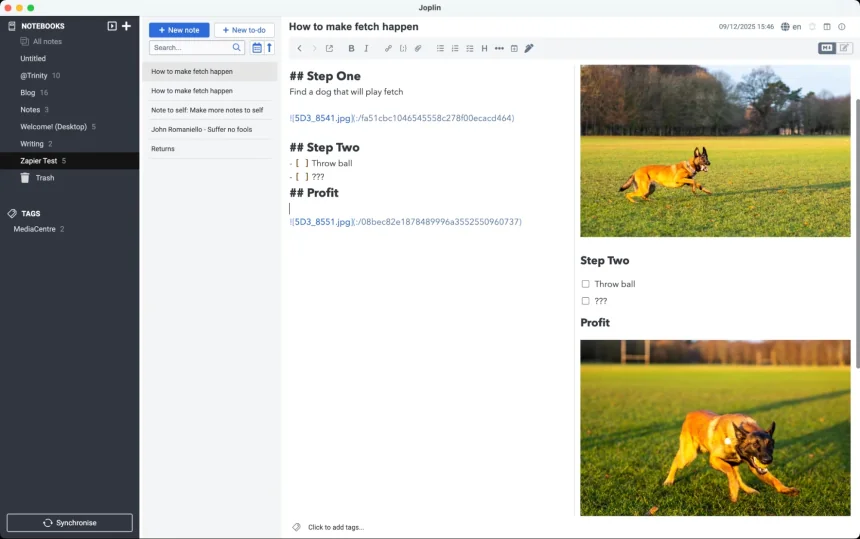
Key Features: It supports End-to-End Encryption (E2EE) and handles Markdown brilliantly. You can import your entire Evernote library easily and organize notes into nested folders.
-
User Experience: It offers total control over your data. You can choose to sync via Dropbox, OneDrive, or Nextcloud, making it a versatile and secure choice for both Android and iPhone users.
6. Simplenote
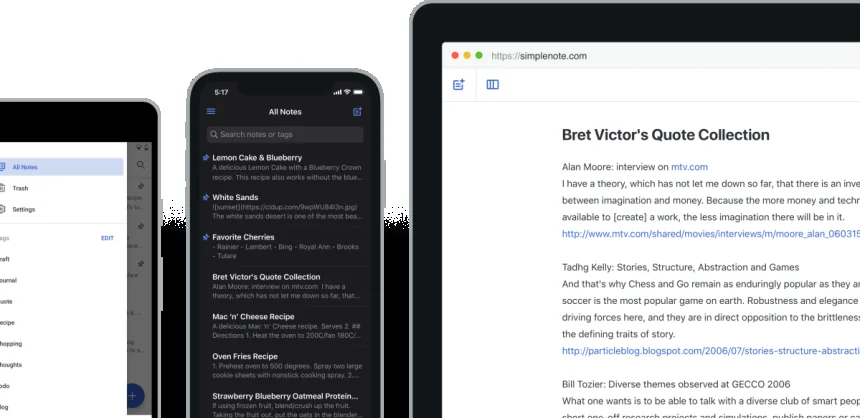
Simplenote stays true to its name by offering a distraction-free, text-only environment. It is widely considered one of the better apps to take notes quickly.
-
Key Features: It focuses on speed and efficiency. It supports Markdown, tagging for organization, and a "Time Travel" feature that allows you to restore previous versions of a note.
-
User Experience: It is perfect for writers and minimalists. Because it doesn't support heavy attachments, the sync between Android and iOS is arguably the fastest in the industry.
7. Notion
Notion is an all-in-one workspace that blends note-taking with databases and project management.
-
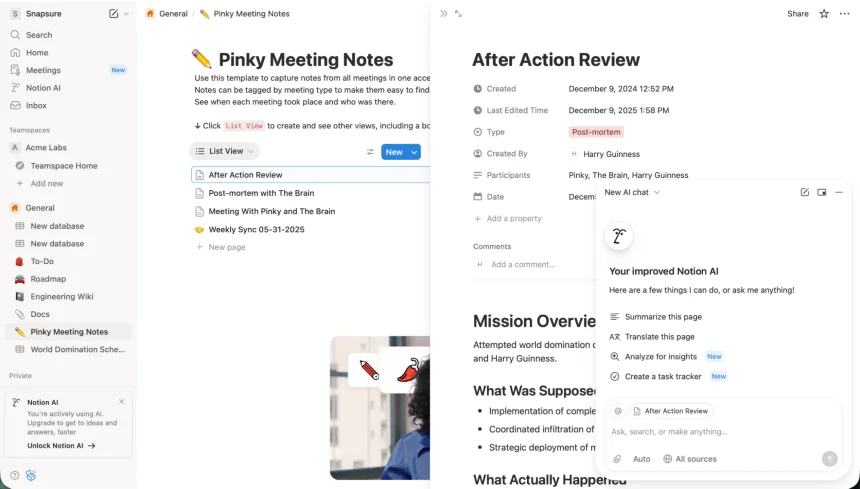
Key Features: It uses "Blocks" to build pages. You can create tables, kanban boards, and galleries within a single note. Its template gallery offers thousands of pre-made setups for any task.
-
User Experience: Notion is best for "power users" who want to manage their entire life or business in one app. The free personal tier is generous and syncs perfectly across all mobile platforms.
8. UpNote
UpNote is a sleek, modern app that offers a premium feel with a very capable free version.
-
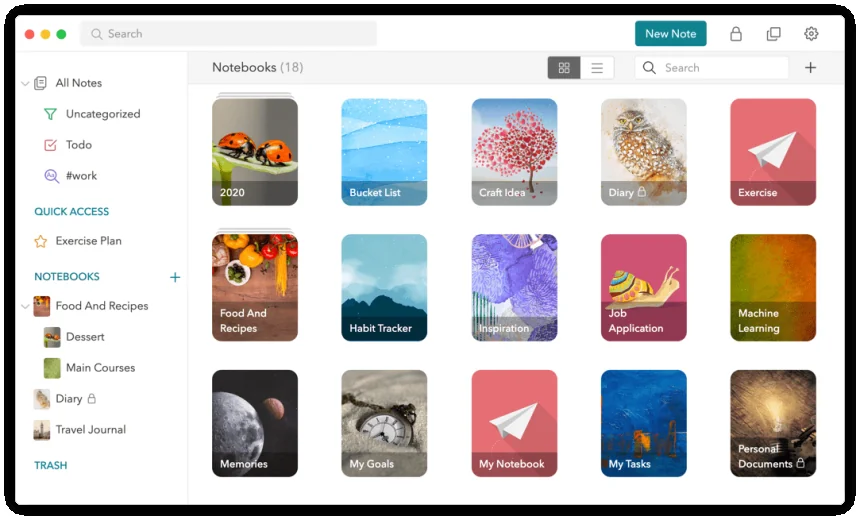
Key Features: It features a rich text editor, focus mode, and the ability to pin notes to the top. It organizes notes into notebooks with beautiful covers and supports cross-note linking.
-
User Experience: UpNote is a great middle-ground for users who want something more structured than Google Keep but less complex than Notion. It is fast, reliable, and looks great on both iOS and Android.
9. Evernote
The pioneer of the industry, Evernote remains a solid choice for users who need to archive vast amounts of varied information.
-
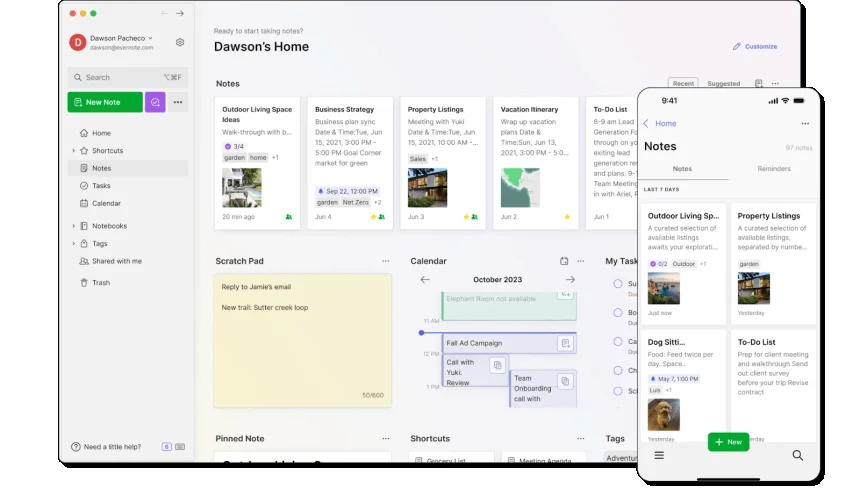
Key Features: It excels at "Web Clipping"—saving entire articles or PDFs from the internet. Its search functionality is legendary, even scanning text within photos and handwritten notes.
-
User Experience: While the free tier has limitations (like a two-device sync limit), it remains a heavy-hitter for research and document management on mobile devices.
10. Standard Notes
Standard Notes is the go-to app for the security-conscious user who wants a simple, encrypted place for their private thoughts.
-
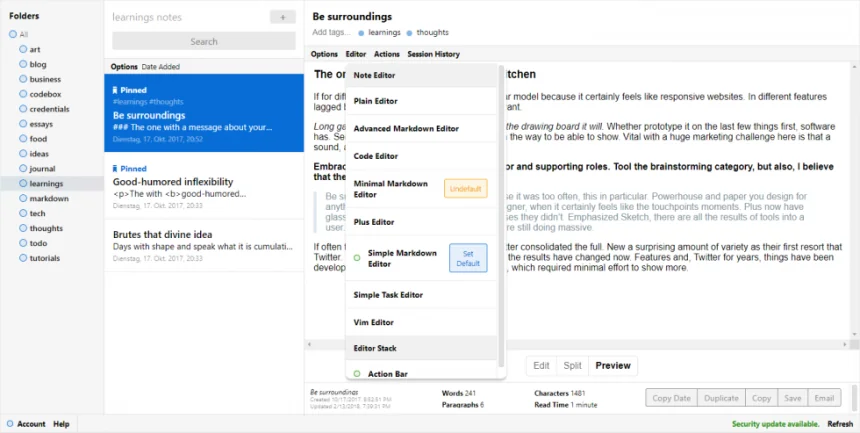
Key Features: It offers industry-standard encryption by default. The free version provides unlimited text notes and unlimited syncing across all devices without any ads.
-
User Experience: It is the best choice for journals, passwords, or sensitive work info. It works seamlessly on Android and iOS, providing peace of mind that your data is for your eyes only.
Choosing from the best notes apps depends on your personal workflow. Whether you need the networked thought of Obsidian, the simplicity of Google Keep, or the all-in-one power of Notion, these free tools ensure you can capture your best ideas anytime, anywhere.